
Subscriber Blocking
A subscriber blocking is a state in which the subscriber traffic is restricted.
By default, the restriction is total, dropping any trafficto and from that subscriber IP address, but it is also possible to implementtwo softer restrictions:
- HTTP redirections to a captive portal (so that traffic is not blocked).
- Slow down speed to a lower rate while the subscriber is being blocked (regardless of the associated rate policy).
There are several sources of blocking:
- Quotas. When the subscriber has a time and/or volumequota and the quota is exhausted. See Subscriber Quotas section for more details.
- Rate policies. A rate policy can be configuredin the BQN server to block traffic. That policy can be associated to asubscriber, who will be blocked as a result.
- Billing. A billing system defines subscriberstates that the BQN translates to a blocking action.
Configuring Total Blocking
This is the default behavior: blocked subscribers will have their traffic completely blocked.
You do not need any special action to enforce it.
Configuring Slow Down
It is possible to limit the traffic to a slow speed while the subscriber is blocked. This is done using a flow policy. The following example changes the flow-default policy, so any traffic matching the flow-default will be slowed down instead of fully blocked.
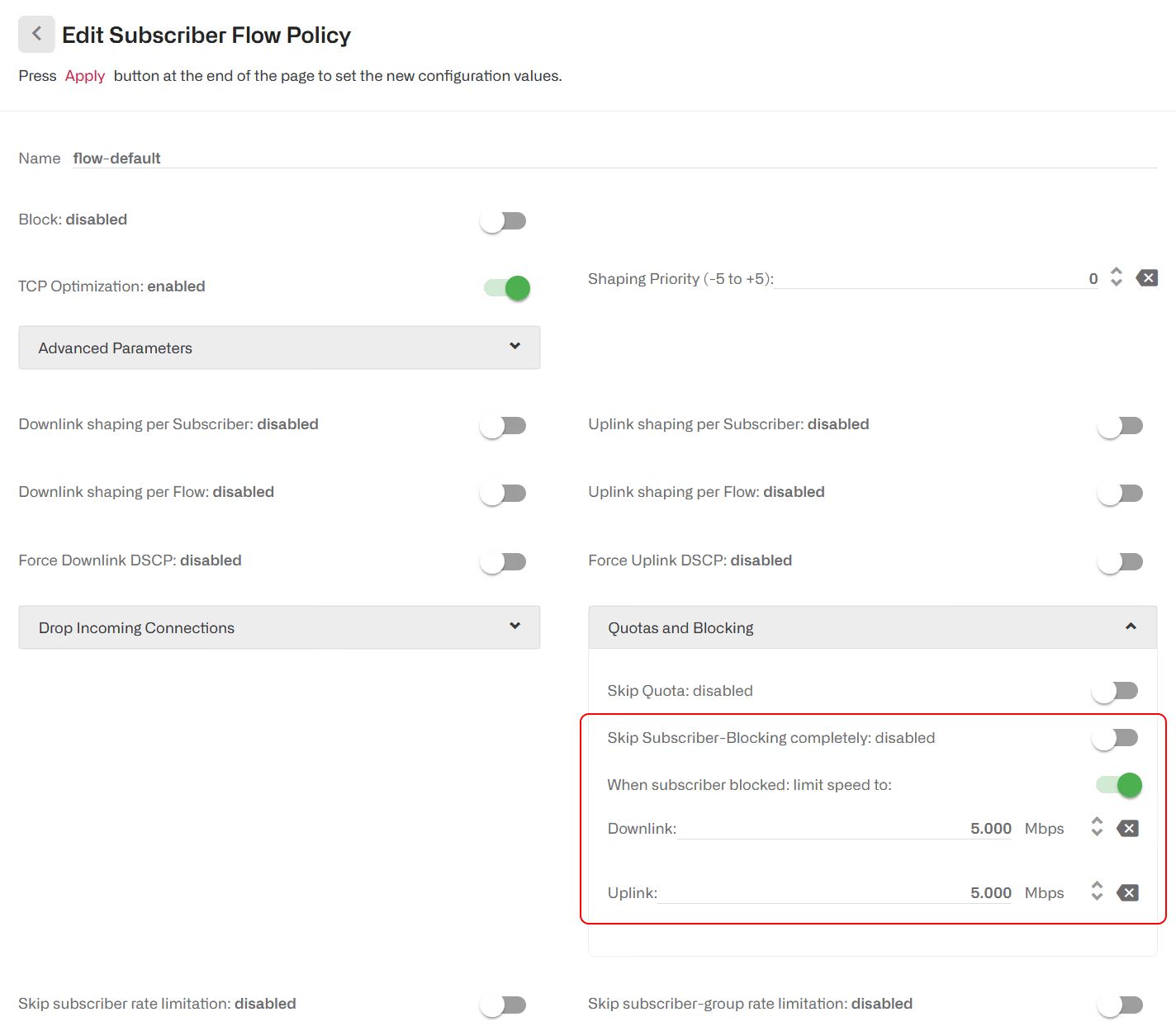
We set the Skip Subscriber-Blocking switch on and enter the downlink and uplink rate limits in the fields that appear below.
We can restrict the slow down behavior to only some traffic creating a specific flow policy and defining rules that assigns it to the desired traffic.
Redirections to a Captive Portal
The idea is to exclude traffic to a captive portal from the blocking, where the subscriber can be informed about his block state and perhaps offered some actions to unblock himself (like paying an overdue invoice or topping up a quota).
Configuration of the captive portal URLs
Go to Configuration->Optimization Settings and fill in the fields under Redirection for blocked subscribers.
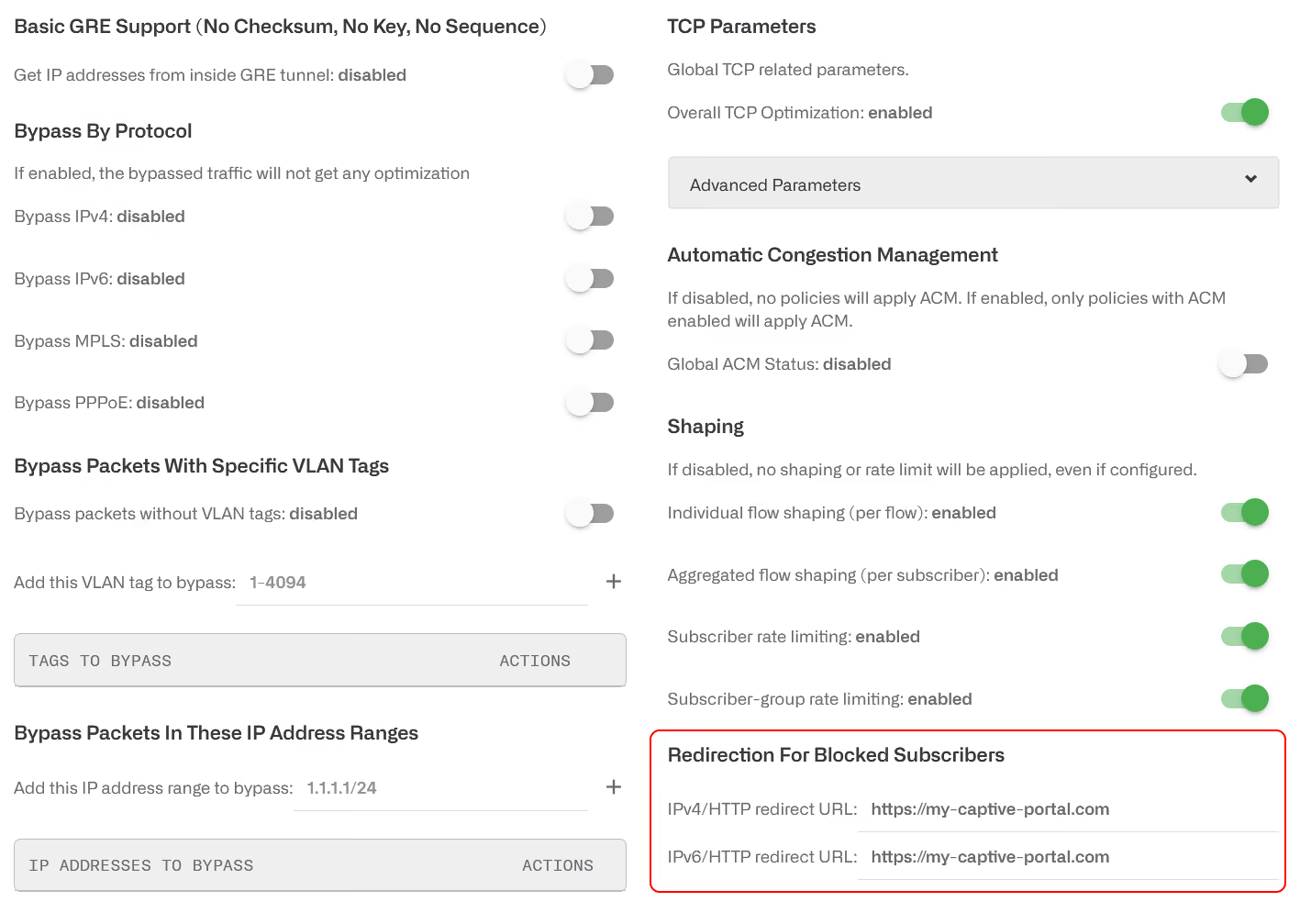
There is one field to redirect IPv4 traffic and another for IPv6 traffic. The two fields can have the same URL if the same captive portal is used for both IPv4 and IPv6.
- If the field is empty, no redirection is attempted.
- If a URL is specified, a redirection is attempted to that URL for the corresponding IP version of the HTTP traffic.
HTTPS redirections are not supported, because modern browsers are protected against redirection attempts for security reasons.
Note that though only HTTP redirections are supported, the site to redirect the traffic can be HTTPS, and very often it is (this is what reflects the previous screenshot, where the URL used is https://my-captive-portal.com).
It is still possible to configure the redirect URLs in legacy sectionnin Configuration->Subscriber Quotas->Advanced Quotas Parameters.
Rules to allow captive portal traffic for blocked subscribers
We must allow access to the captive portal while the subscriber is blocked. This involves:
- Traffic going to the captive portal.
- Traffic to some specific DNS servers (use to resolve the captive portal URL).
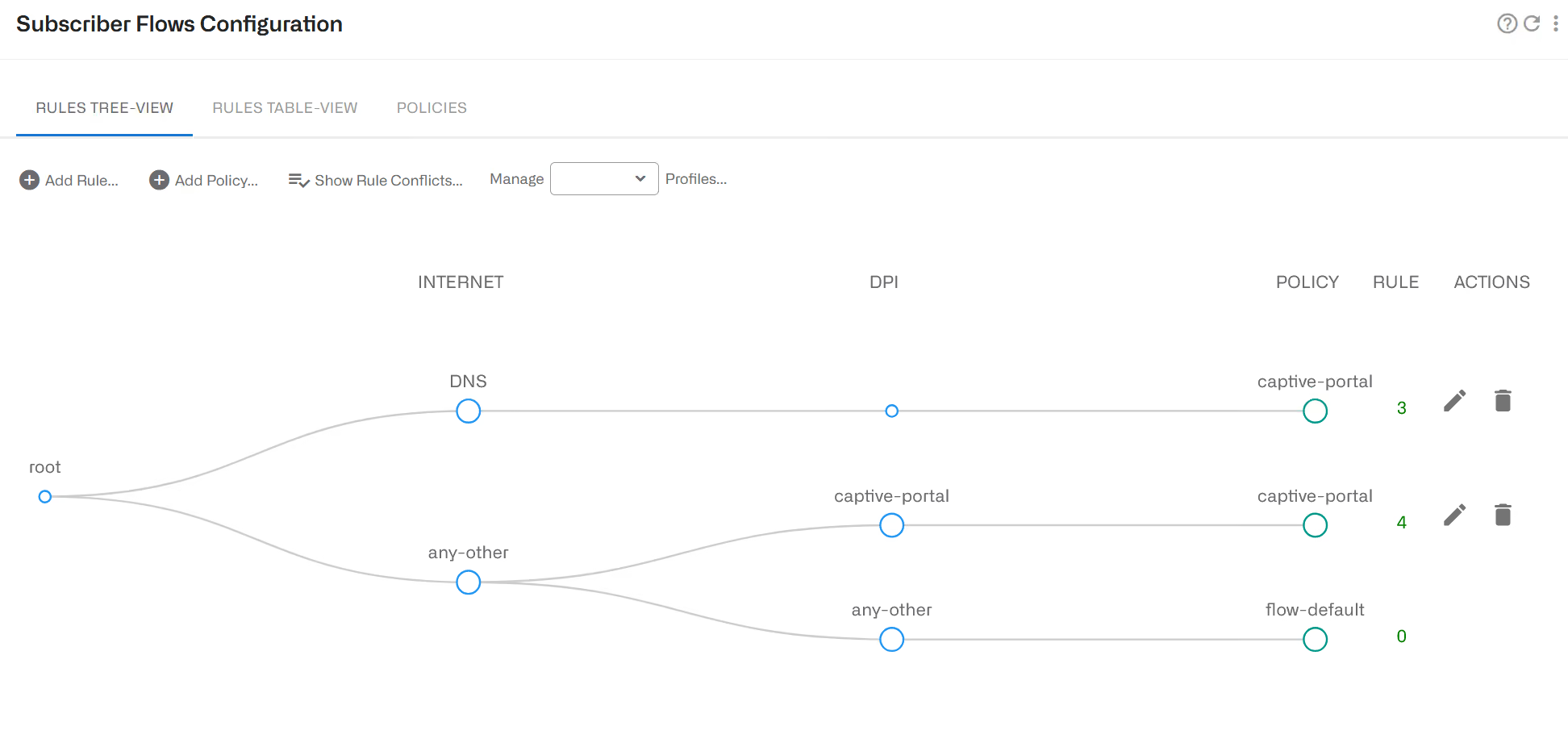
The DNS and captive portal traffic are associated to a policy not subject to subscriber blocking.
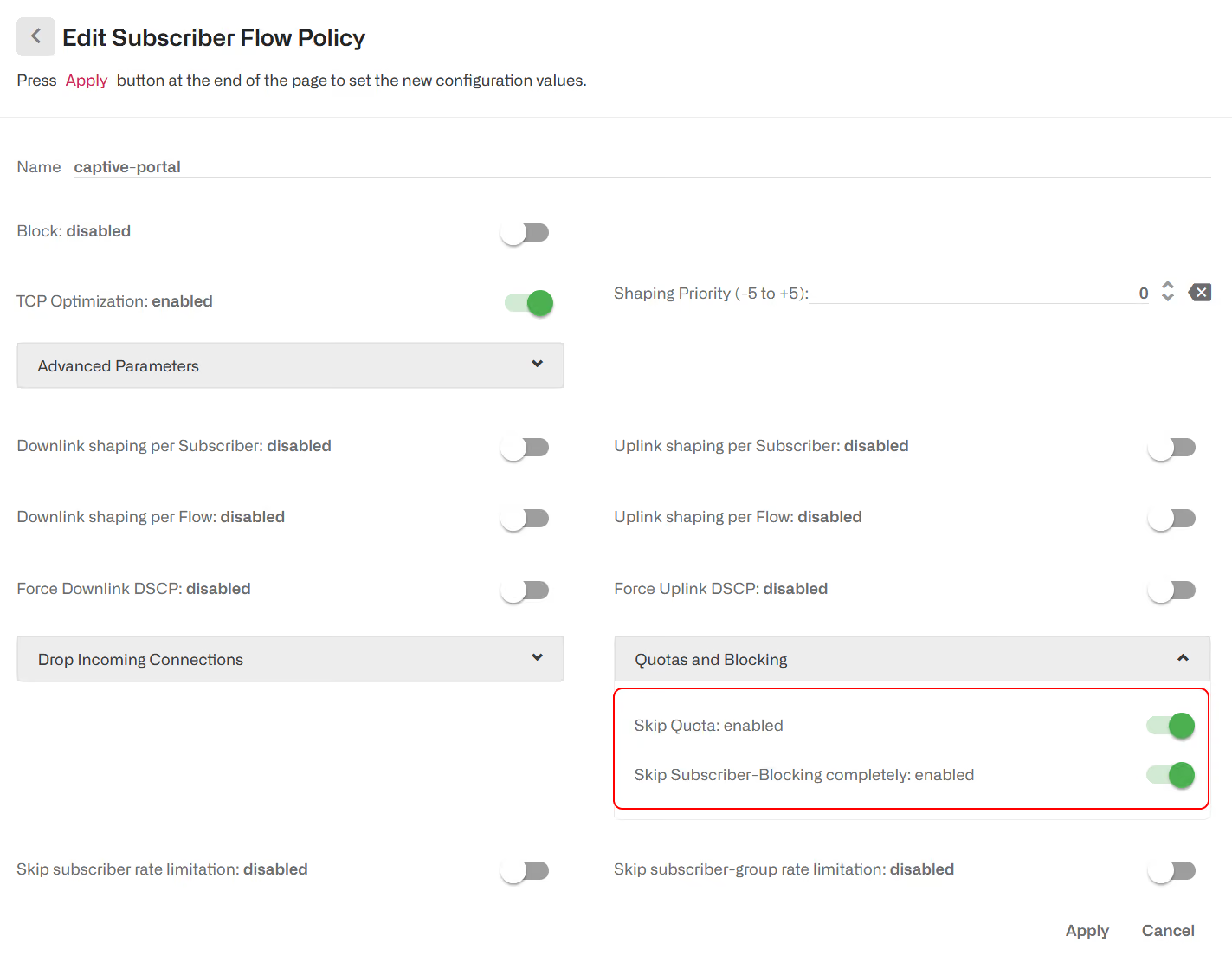
Enabling skip quota is only necessary if we are using quotas.
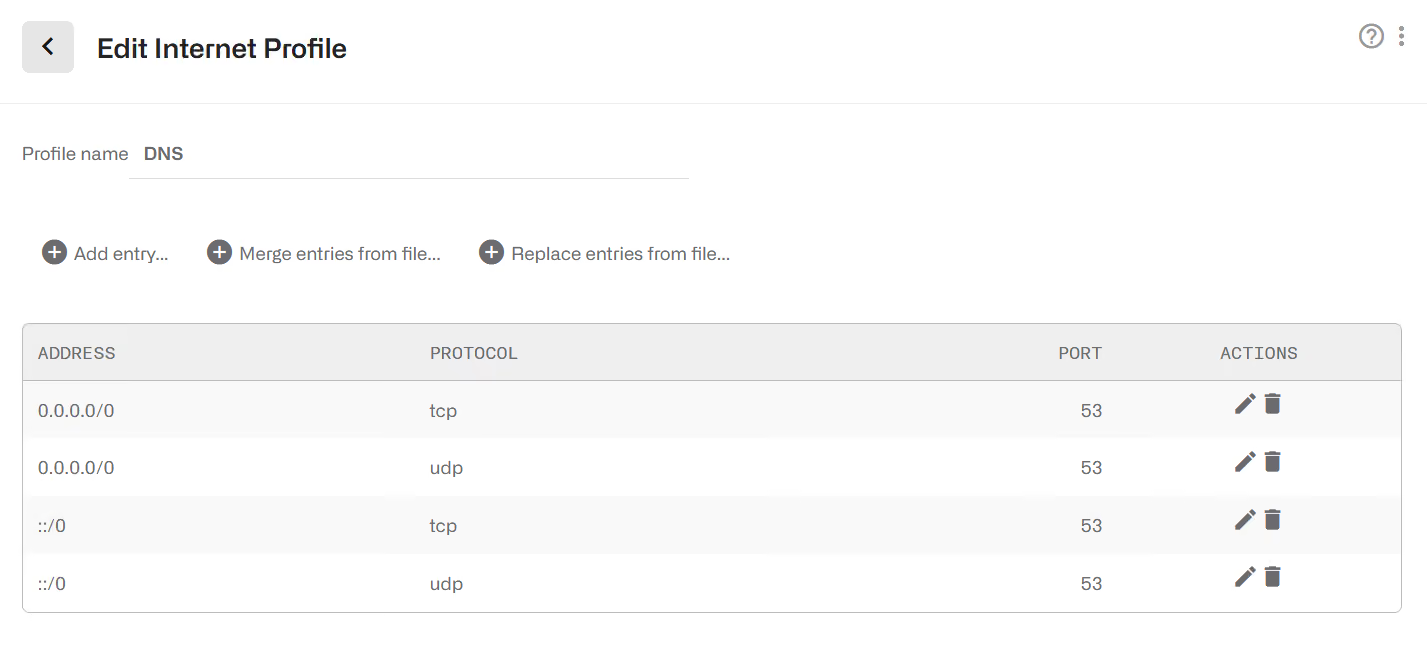
The DNS can be characterized using an Internet Profile of the DNS ports (specific DNS server IPs can also be used):
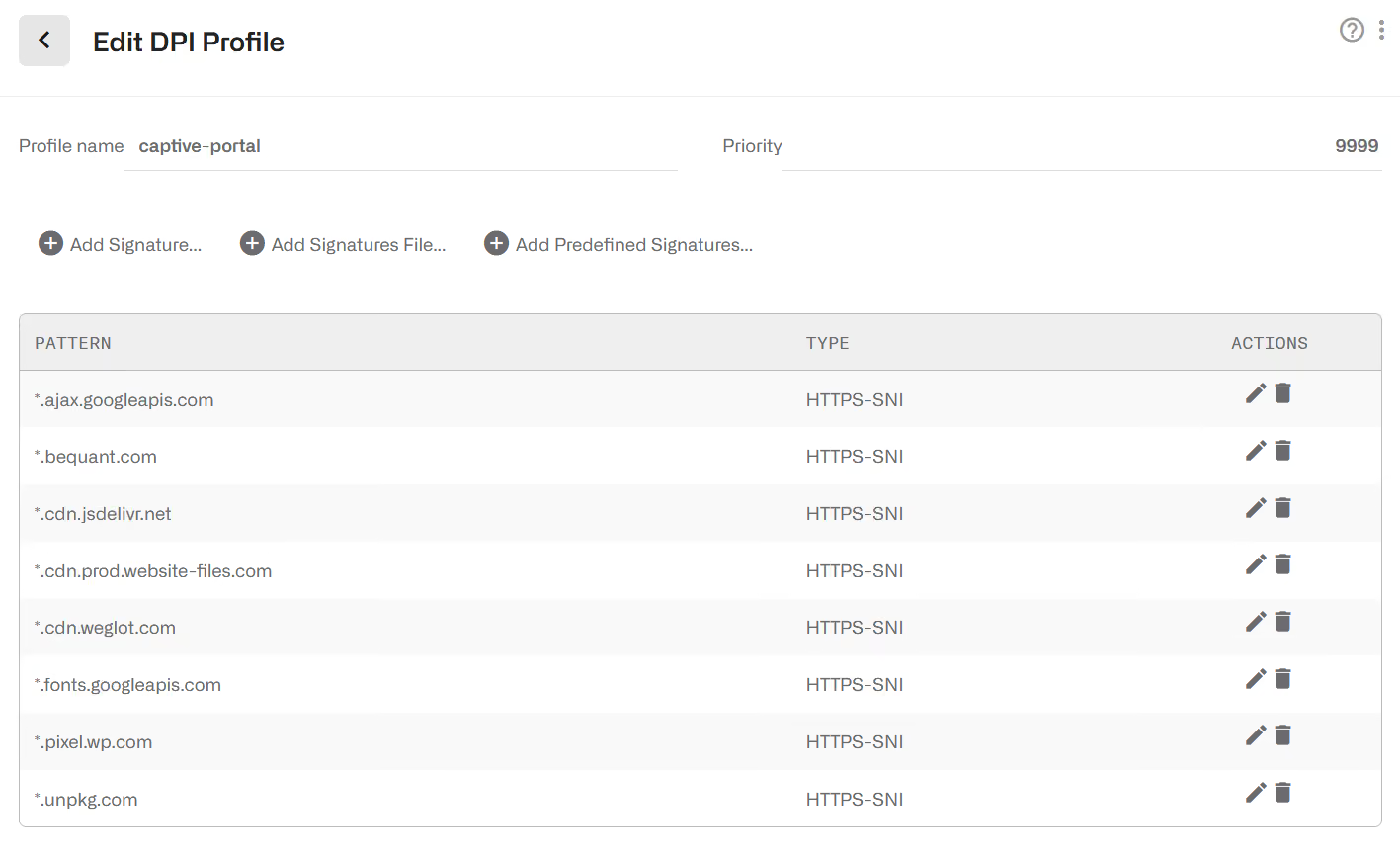
The captive portal can be characterized using a DPI profile containing domain patterns of all elements of the captive portal.
To understand the domain signatures that must be added tothe DPI captive portal profile, one option is to use the browser developer tool. For example, in Firefox, More Tools->Web Developer Tool has a Network tab that, when the page is accessed, shows the elements exchanged between the browser and the Internet. If you click in All, you will see the domains in the Domain column.
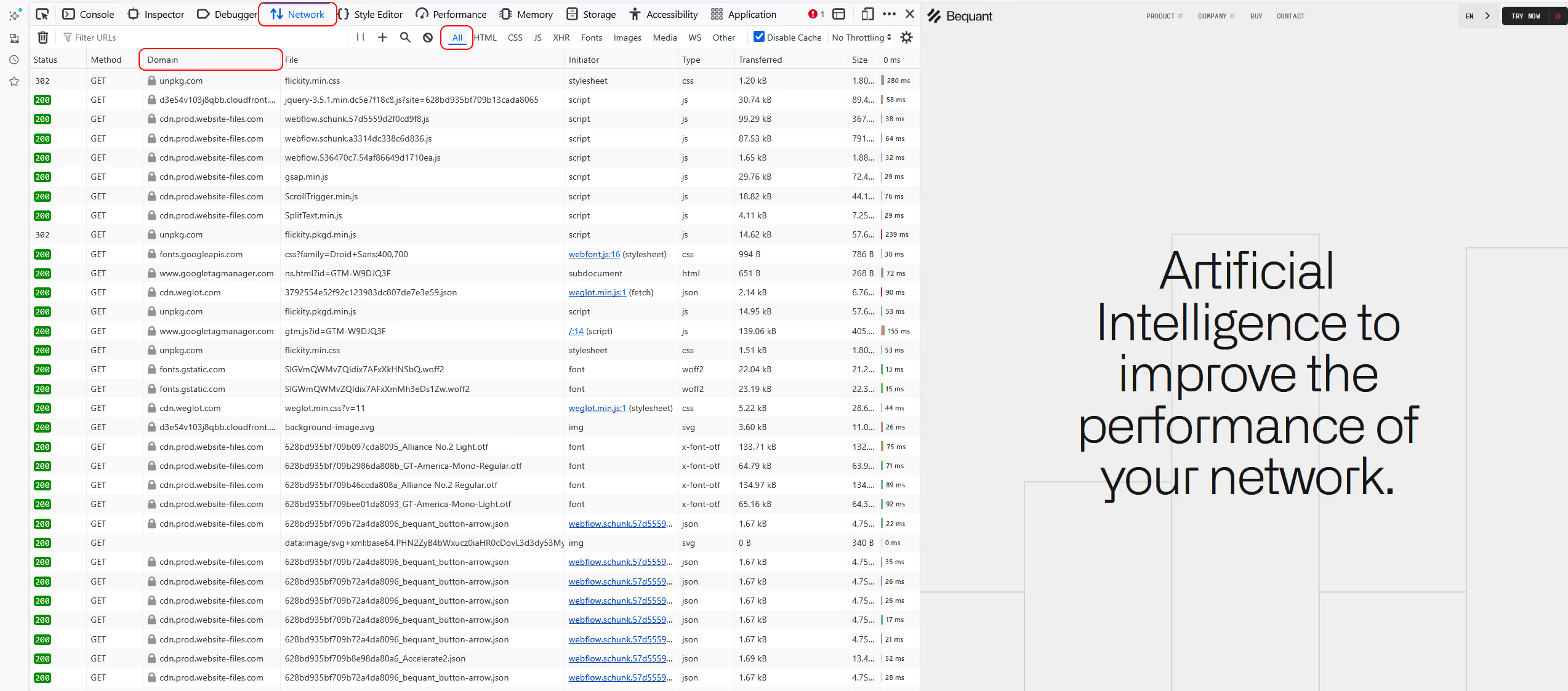
In this example we are using www.bequant.com as captive portal.
Looking at the list of domains, a DPI profile could be:
And putting all together, we have the following flow policy rules:
Policy Blocking
Subscribers can be blocked assigning them a blocking rate policy.
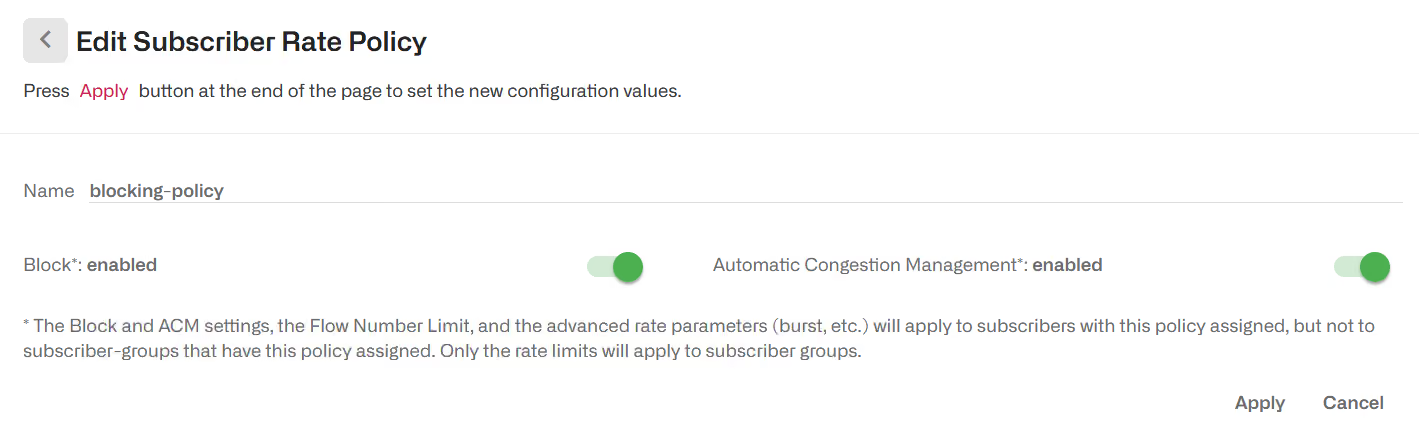
The actual assignment is done using rate policy rules. See the Configured Policies chapter for details.
Billing Blocking
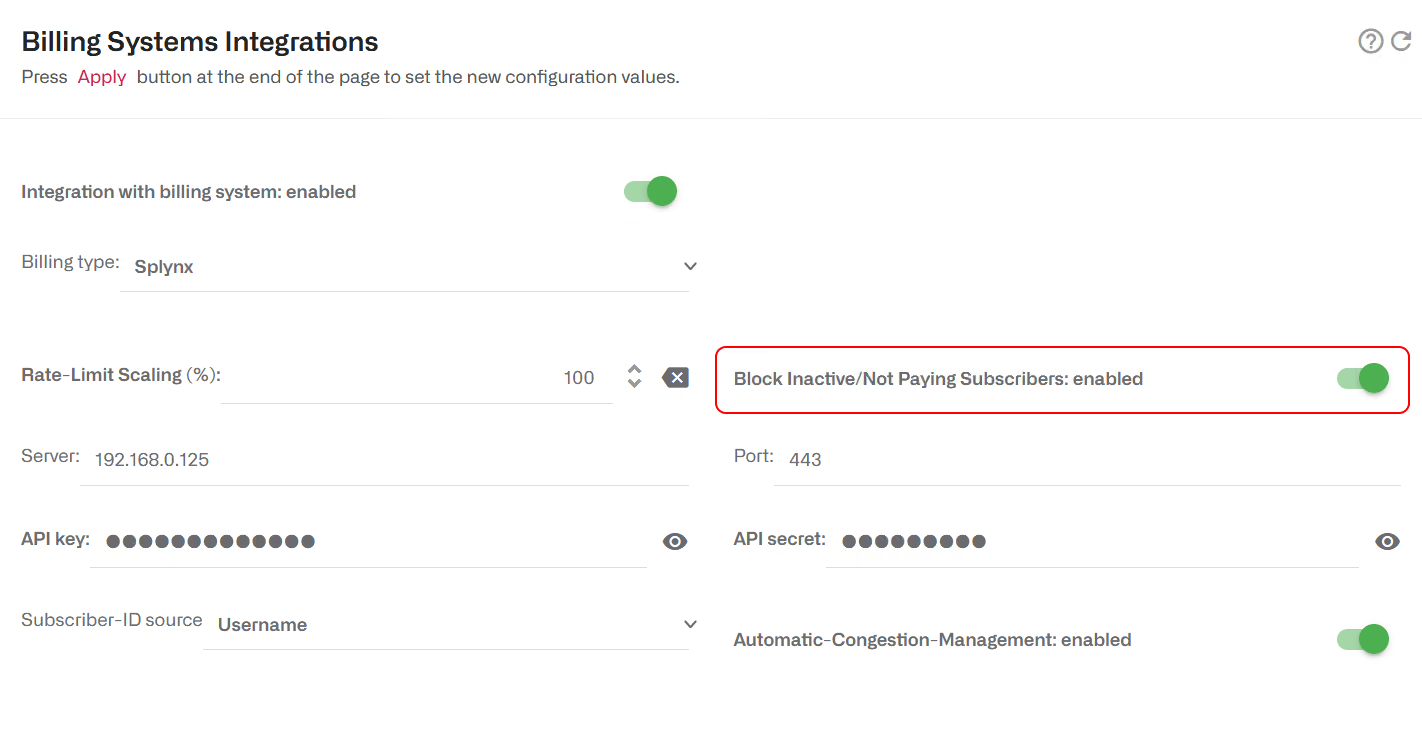
By default, BQN will block non-paying subscribers. What is a non-paying subscriber depends on the billing system (see each specific billing section for details). To prevent BQN from blocking non-paying subscribers, disable the switch Block Inactive/Not Paying Subscribers.
Quota Blocking
See Subscriber Quota chapter for details about how to define volume and time quotas.
Lorem ipsum dolor sit amet, consectetur adipiscing elit. Suspendisse varius enim in eros elementum tristique. Duis cursus, mi quis viverra ornare, eros dolor interdum nulla, ut commodo diam libero vitae erat. Aenean faucibus nibh et justo cursus id rutrum lorem imperdiet. Nunc ut sem vitae risus tristique posuere.
Lorem ipsum dolor sit amet, consectetur adipiscing elit. Suspendisse varius enim in eros elementum tristique. Duis cursus, mi quis viverra ornare, eros dolor interdum nulla, ut commodo diam libero vitae erat. Aenean faucibus nibh et justo cursus id rutrum lorem imperdiet. Nunc ut sem vitae risus tristique posuere.
Lorem ipsum dolor sit amet, consectetur adipiscing elit. Suspendisse varius enim in eros elementum tristique. Duis cursus, mi quis viverra ornare, eros dolor interdum nulla, ut commodo diam libero vitae erat. Aenean faucibus nibh et justo cursus id rutrum lorem imperdiet. Nunc ut sem vitae risus tristique posuere.